


Table of Contents
- What Is a Content Brief?
- What Is a Content Outline?
- Content Brief vs Content Outline: The Practical Difference
- Do You Need Both?
- What a Useful Content Brief Should Include
- What a Useful Content Outline Should Include
- How to Create a Brief and Outline That Stay Aligned
- Worked Example: From Content Brief to Outline
- Common Planning Mistakes
- Copy-Ready Content Brief Template
- Copy-Ready Content Outline Template
- Review Checklist Before Drafting
- Frequently Asked Questions
- Final Takeaway
You do not always need two separate files. For many articles, the most practical setup is one approved brief with the outline inside it. A simple assignment may need only an outline and a few essential instructions. A complex, outsourced, research-heavy, or high-risk piece usually needs a fuller brief before anyone finalizes the structure.
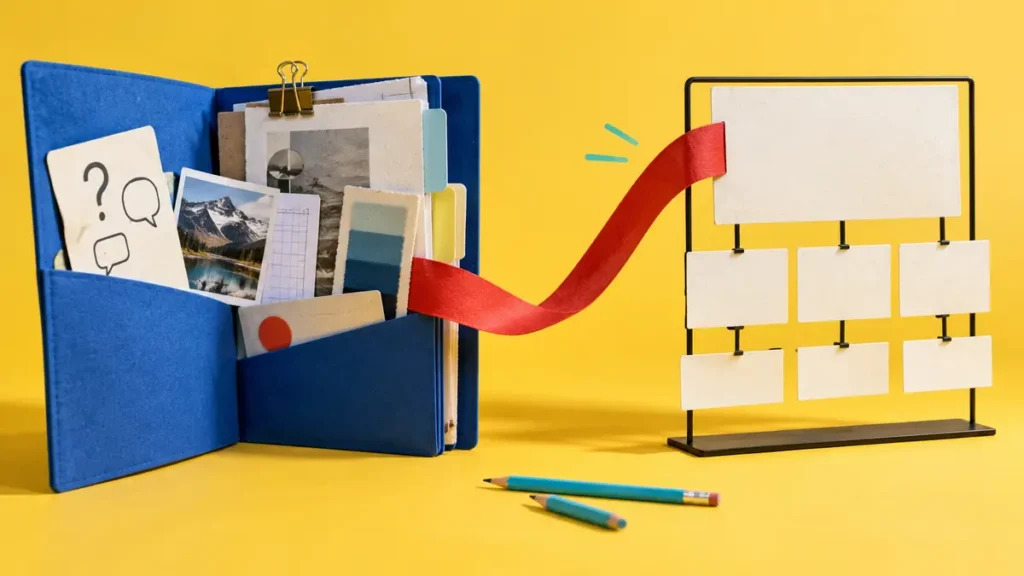
That is the main difference between a content brief and a content outline: the brief sets direction, while the outline turns that direction into an ordered writing plan.
What Is a Content Brief?
A content brief is the source of truth for a specific content assignment. It records the decisions a writer, editor, subject expert, designer, and publisher need to make the same piece of content.
Depending on the project, a brief may include:
- the business goal and reader outcome;
- the target audience and situation;
- the topic, primary query, and search intent;
- the page’s role within the website;
- the chosen angle and boundaries;
- required questions, examples, and evidence;
- relevant internal links and trusted external sources;
- voice, format, and editorial requirements;
- the next action for the reader;
- ownership, review stages, and deadline; and
- the result the team plans to measure.
The purpose is not to make the document long. It is to settle the decisions that would otherwise create avoidable questions during drafting.
For example, “Write 1,500 words about email marketing” is an assignment, but it is not a useful brief. The writer still has to guess the audience, purpose, level of detail, intended action, evidence standard, and reason the page should exist.
A better brief might ask for a beginner guide for owners of U.S. service businesses who need to start a permission-based email program. It could require practical setup steps, clear limits, links to official compliance guidance, and a next step leading to a related website resource. Now the writer knows which problem to solve.
What Is a Content Outline?
A content outline is the structural plan for the finished piece. It shows how the answer will unfold from the opening to the final section.
For an article, the outline usually contains:
- a working title;
- the main answer or opening point;
- proposed H2 and H3 sections;
- questions each section must answer;
- notes about examples, sources, or visuals;
- the order in which the reader needs the information; and
- the appropriate final action or closing point.
An outline should contain more than a list of keyword-based headings. Short notes beneath each heading help the writer understand the section’s job and prevent two sections from making the same point.
Suppose the brief calls for a guide to email marketing for first-time business owners. The outline might move through permission, list setup, campaign goals, content, sending practices, measurement, and common mistakes. That order gives the reader a usable path. A random collection of headings does not.
Content Brief vs Content Outline: The Practical Difference
The two documents overlap, but they answer different questions.
A brief explains why; an outline explains where.
The brief explains why the content should be created, whom it should help, and what it needs to achieve. The outline decides where each part of that answer belongs.
If the brief says the reader is a beginner, the outline should define essential terms before discussing advanced decisions. If the brief identifies comparison intent, the outline needs a direct comparison early enough to satisfy it.
A brief sets requirements; an outline sets sequence.
A brief may require a subject-matter interview, two official sources, an original example, three internal links, and a clear product limitation. The outline places those elements in the sections where they help the reader.
A brief can cover several deliverables; an outline follows one format.
A campaign brief may guide an article, email, video, and social posts. Each deliverable can then have its own outline or script.
For a single article, the brief and outline often live together. The distinction is about function, not file count.
The brief should be approved first.
The team should agree on the audience, goal, intent, scope, and evidence before polishing headings. Research and outlining can reveal a weak assumption, so the process is not perfectly linear. Still, it is wasteful to debate an H3 while the intended reader remains unclear.
The outline can change without rewriting the strategy.
During research, two sections may need to merge or change order. That is normal. The outline can evolve while the core audience and purpose remain stable. If the research changes the main claim, audience, or intended outcome, update the brief as well.
Do You Need Both?
Use the lightest planning document that removes meaningful uncertainty.
An outline may be enough when:
- the writer already knows the audience and business context;
- the topic is narrow and low risk;
- the format is familiar;
- the sources and internal links are already understood;
- only one person owns the work; and
- revisions would be inexpensive.
A staff writer updating a familiar help article may need only a short outline, the reason for the update, and a list of facts that changed.
Use a fuller brief when:
- the assignment is going to a freelancer or agency;
- several reviewers need to agree before publication;
- the subject affects health, finance, safety, law, or another sensitive decision;
- original interviews, data, permissions, or product claims are involved;
- organic search is an important acquisition route;
- the content supports a launch or paid campaign;
- a weak draft would be expensive to repair; or
- the team has a history of conflicting feedback.
The content marketing guide for startups applies the same principle at a wider level: content production should stay proportional to the goal, evidence, and team capacity.
Separate files are optional.
Keeping the brief and outline in different files can help when different people own strategy and structure. It also creates version-control risk. A revised outline can quietly contradict an older brief.
For most teams, one document with a clearly labeled brief section and an approved outline is easier to manage. If separate files are necessary, link them to each other and show the owner, status, and last approval date on both.
What a Useful Content Brief Should Include
A strong brief gives the writer enough context to make sound decisions without prescribing every sentence.
1. The content’s job
State what should change after publication. “Increase traffic” is too broad because it does not identify the audience or useful action.
A clearer goal might be:
Help U.S. operations managers at growing home-service companies compare field-service scheduling options and request a qualified product demonstration.
That goal affects the examples, depth, proof, call to action, and measurement plan.
2. The reader and current situation
Describe the person in the situation that creates the need. Job title and age alone rarely explain enough.
Record:
- what brought the reader to the page;
- what they already know;
- what they are trying to decide or complete;
- what may make them hesitate;
- which terms need explanation; and
- what a useful outcome looks like from their point of view.
Digital.gov’s guidance on writing for the reader recommends learning from user questions, direct conversations, search phrases, and web behavior. It also warns that mixing material for separate audiences can make information harder to use.
Do not turn guesses into a detailed persona. When evidence is limited, label the audience description as a working assumption and name how the team will test it.
3. Topic, intent, and page role
Identify the main topic and explain why the page belongs on the site.
For search-focused content, record the likely intent in plain language. Someone searching content brief vs content outline wants to understand the difference and decide how to use the documents. That calls for an early answer, direct comparison, examples, and a practical workflow.
The site’s SEO strategy guide explains how intent, original value, internal links, and site structure fit together. The brief should capture those decisions before the writer starts placing keywords.

4. Angle and boundaries
The angle explains what makes this treatment useful for the intended reader. Boundaries prevent the article from growing into several weak topics.
For this article, the angle is practical: show how U.S. content teams can choose the right level of planning, keep the brief and outline aligned, and reduce revisions. It is not a comparison of content-optimization software or a guide to every editorial document.
Write down what the article must cover and what it should leave out. This gives the writer room to think without losing the assignment.
5. Required evidence and original input
Name the claims that need support and the best source for each one.
The brief may request:
- an interview with an internal subject expert;
- product documentation or approved screenshots;
- customer evidence used with permission;
- official regulations or standards;
- current market data with a stated method;
- a worked example clearly labeled as hypothetical; or
- first-party performance data with its time period and limitations.
Google’s people-first content guidance asks whether a page adds original information, research, analysis, or substantial value instead of merely rewriting existing sources. A brief can make that requirement concrete by naming the input the writer needs to obtain.
6. Keywords and related language
Provide a primary topic and useful secondary terms when search is part of the plan. Do not turn the brief into a word-insertion quota.
Google’s SEO Starter Guide says there is no preferred minimum or maximum content length. It also warns against keyword stuffing and notes that there is no magical number of headings. Use search data to understand the reader’s language, then write naturally enough to explain the subject.
7. Links, next action, and measurement
Suggest internal links only where they extend the reader’s task. Identify external sources for claims that need support. The writer should still confirm that every link is current and placed in the correct context.
The brief should also name the next action. It may be reading a related guide, downloading a template, comparing a service, requesting a consultation, or applying what the article teaches.
Choose a success signal that matches the page’s job. Search impressions, qualified visits, downloads, assisted leads, sales use, and support reduction answer different questions. The marketing analytics guide for small businesses explains how to connect channel data to business decisions instead of reporting activity alone.
8. Delivery and review rules
Record the format, deadline, owner, review stages, and final approver. Include any legal, brand, accessibility, product, or subject-review requirements.
Avoid vague labels such as “make it engaging.” Explain the expected behavior instead: answer the main question in the opening, use U.S. English, define unfamiliar terms, keep paragraphs readable, and support material claims with direct sources.
What a Useful Content Outline Should Include
The outline converts the brief into a reader-centered path.
Begin with the answer
Write the main answer in one or two sentences before drafting headings. If the team cannot state the answer clearly, the outline is probably premature.
For a comparison article, the distinction should appear near the top. Do not make the reader pass through a long history lesson before learning what differs.
Give every section one job
Under each proposed heading, add a short note that answers:
- What question does this section resolve?
- Which point must the reader understand?
- What example or evidence belongs here?
- What should the reader be ready for next?
If two sections have the same job, combine them or sharpen the difference.
Order information around the reader
The sequence should follow the reader’s knowledge and task, not the order in which the researcher found the information.
Digital.gov’s information-organization guidance recommends stating the purpose and bottom line early, placing information in a logical order, and using chronological order for processes. Those principles apply directly to article outlines.
Use a clean heading hierarchy
Headings should describe real sections, not repeat keyword variations. The WordPress title can provide the H1, major sections can use H2s, and genuine subsections can use H3s.
The W3C’s heading guidance explains that headings communicate page organization and support in-page navigation. It recommends nesting heading ranks logically and avoiding skipped levels where possible.
Write the heading itself in the outline. Do not publish labels such as H2: as part of the visible heading.
Place evidence and examples before drafting
Add a note where a source, screenshot, quotation, example, or visual belongs. This exposes research gaps while changes are still cheap.
An outline full of confident claims but empty source notes transfers the research problem to the drafting stage.

How to Create a Brief and Outline That Stay Aligned
Step 1: Define the business and reader outcomes.
Finish two sentences:
The business is creating this because ________.
The reader should leave able to ________.
If the answers have no useful connection, reconsider the topic or the call to action.
Step 2: Gather real audience and search evidence.
Review customer questions, sales notes, support tickets, site search, search results, existing analytics, and related content on the website. Record what is known, what is inferred, and what still needs confirmation.
Step 3: Write a one-sentence assignment.
Summarize the page before filling a template.
Create a practical comparison for U.S. content managers that explains the different jobs of a content brief and content outline, shows when each is needed, and provides a workflow they can use before drafting.
That sentence becomes a filter for every later section.
Step 4: Complete only the useful brief fields.
Add the audience, intent, angle, evidence, links, next action, requirements, and review owners. Skip template fields that do not affect this assignment.
Step 5: Draft the outline from the reader’s questions.
Start with the main answer. Then arrange definitions, differences, decision criteria, process, example, mistakes, and next steps in the order a reader needs them.
Step 6: Test the outline against the brief.
Check each section against the agreed purpose. Look for missing requirements, duplicated points, unexplained jumps, unsupported claims, and headings that serve a keyword instead of the reader.
Step 7: Approve one source of truth.
Mark the planning document as draft, in review, or approved. Record who approved it and when. If a later decision changes the strategy or structure, update the same source before sending new feedback to the writer.
This simple rule prevents the writer from receiving one instruction in the brief, another in the outline, and a third in an email thread.
Worked Example: From Content Brief to Outline
Consider a hypothetical software company selling field-service scheduling tools to U.S. home-service businesses.
The company wants an article called “How to Choose Field Service Scheduling Software.”
Condensed content brief
Business goal: Generate qualified demonstration requests from home-service companies that have outgrown spreadsheets and group chats.
Reader: An operations manager comparing tools for a team of at least ten field employees. The reader understands the scheduling problem but may not know which product requirements matter.
Reader outcome: Build a shortlist and prepare useful questions for vendor demonstrations.
Intent: Commercial investigation with a strong educational need.
Angle: Focus on operational fit, implementation, team adoption, integrations, support, and total cost. Avoid naming a universal winner.
Original input: Interview the implementation lead about failed migrations, common data problems, and training questions. Use current product documentation for capability claims.
Required coverage: Scheduling needs, mobile use, dispatch visibility, integrations, permissions, onboarding, support, pricing structure, contract terms, and security questions.
Boundaries: Do not promise a financial return, rank unnamed competitors, or describe roadmap features as available.
Next action: Download a vendor-question checklist or request a demonstration if the product matches the reader’s requirements.
Review: Product verifies capabilities. Implementation reviews the workflow. Legal or compliance reviews any sensitive claim. The editor approves the final page.
Matching content outline
Opening: Explain that the best tool depends on the work the team must coordinate, not the longest feature list.
Document the scheduling problem before comparing software
- Identify users, job types, dispatch rules, current bottlenecks, and necessary integrations.
- Include a short example of a ten-technician service team.
Evaluate the functions employees will use every day
- Cover scheduling, mobile access, job updates, permissions, customer communication, and reporting.
- Add approved screenshots or demonstrations where they clarify the workflow.
Check implementation and adoption requirements
- Explain data cleanup, setup ownership, training, support, and rollout timing.
- Use the implementation interview for specific mistakes and questions.
Compare the full cost and contract terms
- Cover pricing units, setup charges, integrations, support tiers, minimum commitments, and cancellation terms.
- Avoid unsupported savings claims.
Build a shortlist and prepare for demonstrations
- Give the reader a practical set of questions.
- Link to the checklist and explain the appropriate next step.
The brief prevents the article from becoming a generic product list. The outline prevents the strategic requirements from arriving as an unordered pile of notes.

Common Planning Mistakes
Treating the documents as rivals. A brief and an outline solve different problems. The outline can sit inside the brief.
Building the outline before settling the audience. The headings may look complete while answering the wrong person’s questions.
Copying competitor headings. Search-result review can reveal expected questions, but a copied structure carries another publisher’s assumptions into your page.
Turning keywords into instructions for every paragraph. A writer needs the topic and audience language, not a mechanical repetition target.
Using word count as the definition of depth. A page should be long enough to complete the reader’s task. Padding a simple answer makes the content harder to use.
Making the brief too restrictive. Prescribing every heading, sentence, and example can block useful judgment, especially when research reveals a better structure.
Making the brief too vague. “Professional tone” and “high-quality content” do not settle any meaningful decision.
Leaving evidence requirements until editing. By then, the writer may have built several sections around claims the team cannot support.
Allowing the brief and outline to contradict each other. Approve them together or keep the outline inside the brief.
Collecting feedback in several places. Choose one document for current decisions and one person to resolve conflicts.
Copy-Ready Content Brief Template
Use only the fields that affect the assignment.
Working title:
Content type and format:
Business goal:
Reader outcome:
Target audience and situation:
What the reader already knows:
Primary topic or query:
Secondary questions and language:
Search intent, if relevant:
Page role and related content:
Angle:
Must cover:
Leave out:
Original input required:
External evidence required:
Suggested internal links:
Next action:
Voice and editorial requirements:
Owner, reviewers, and final approver:
Deadline and status:
Success signal and review date:
Copy-Ready Content Outline Template
Working title:
Main answer in one or two sentences:
Opening:
- Reader problem or question:
- Direct answer or reason to continue:
H2: First major section
- Section question:
- Key point:
- Evidence or example:
- Transition to next section:
H2: Second major section
- Section question:
- Key point:
- Evidence or example:
- Transition to next section:
H3: Subsection, only if needed
- Narrow question:
- Supporting detail:
Final section:
- Decision, action, or concise closing point:
Review Checklist Before Drafting
Confirm that:
- the audience and reader situation are specific;
- the main question is answered early;
- the business goal does not replace the reader’s need;
- the angle gives the page a reason to exist;
- the outline reflects the stated search intent;
- each section has a distinct job;
- required claims have named sources;
- original examples or expertise have an owner;
- internal links belong in the relevant context;
- the next action fits the article;
- no fixed word count or keyword target is creating filler;
- review responsibilities are clear; and
- the brief and outline show the same approved direction.
Frequently Asked Questions
Can a content brief include the outline?
Yes. For many teams, a brief with an embedded outline is the cleanest setup because the strategy and structure remain in one source of truth.
Which comes first, the content brief or the outline?
Set the audience, goal, intent, angle, and evidence requirements first. Then create the outline. Research may send the team back to revise the brief, so treat planning as an informed cycle instead of a rigid handoff.
How long should a content brief be?
It should be long enough to remove costly uncertainty and short enough that the team will use it. A familiar, low-risk update may need half a page. A complex assignment with several reviewers may need several pages plus source material.
What is the difference between an SEO content brief and a content outline?
An SEO content brief can include search intent, query research, page role, competing coverage, internal links, evidence, and publishing requirements. The outline is the structural part that organizes the final answer.
Is an outline enough for a freelance writer?
Sometimes, but only when the writer already has the missing context. A freelancer who does not know the audience, product, goal, evidence standard, or review process needs more than headings.
Who should create the content brief?
The owner should be the person responsible for the assignment’s direction. That may be a content strategist, editor, SEO specialist, product marketer, or subject expert. Other contributors can supply research and requirements, but one person should resolve conflicts.
Do you need special software?
No. A shared document, spreadsheet, or project page can work. Dedicated tools become useful when the team needs reusable fields, approvals, research integration, permissions, or reporting at scale.
Final Takeaway
A content brief and a content outline are not competing documents. The brief defines the assignment and its requirements. The outline organizes the answer.
Use an outline alone when the strategy is already clear and the work is simple. Use a fuller brief when the assignment carries more uncertainty, cost, risk, or collaboration. For most article workflows, keep the approved outline inside the brief so the writer has one reliable source from planning through review.