



Table of Contents
- Quick Answer: What Makes a Shopify Store Better?
- What Is Shopify Ecommerce?
- Build the Store in the Right Order
- Start With the Product and Customer, Not the Theme
- Choose a Shopify Theme for the Shopping Experience
- Build Product Pages Around Buying Questions
- Use Collections and Navigation to Reduce Searching
- Make SEO Part of the Store Structure
- Use Product Structured Data Accurately
- Make the Mobile Store Fast and Easy to Use
- Build Trust by Removing Uncertainty
- Review the Cart and Checkout as a Customer
- Measure the Store Instead of Guessing
- Improve One Meaningful Problem at a Time
- Use Content to Support Product Discovery
- Do Not Build the Business Around One Traffic Source
- Use Shopify AI as an Assistant, Not an Authority
- Practical Shopify Ecommerce Checklist
- Final Takeaway
- Frequently Asked Questions
Shopify ecommerce gives a business the infrastructure to manage products, design a storefront, accept orders, and operate an online sales channel. It does not create product demand or fix unclear offers by itself. The merchant still has to make good decisions about product information, navigation, search visibility, mobile usability, policies, checkout, and measurement.
That is the focus of this guide: not simply how to open a Shopify account, but how to build a better online store around the customer’s buying decision.
Quick Answer: What Makes a Shopify Store Better?
A better Shopify store helps the right shopper do four things with less effort:
- Find the right product. Collections, search, navigation, and landing pages match the way customers shop.
- Understand the offer. Product pages answer practical questions about price, use, fit, specifications, delivery, and returns.
- Buy with confidence. The store looks consistent, works well on mobile, explains its policies, and avoids surprises at checkout.
- Give the business useful evidence. Analytics show where shoppers continue, hesitate, or leave, so the next improvement is based on behavior rather than guesswork.
A stylish theme can support those jobs, but it cannot replace them.
What Is Shopify Ecommerce?
Shopify ecommerce means using Shopify’s commerce platform to sell products or services through an online store.
The platform provides systems for products, collections, themes, navigation, checkout, orders, customer information, and reporting. A merchant can manage details such as product titles, descriptions, prices, media, variants, and inventory from the Shopify admin. Shopify’s product documentation explains the available product-management areas in more detail.
This saves a business from developing every commerce component from the ground up. It does not remove the need for a viable product, reliable operations, accurate information, customer support, or marketing.
Think of Shopify as the operating structure. The quality of the store still depends on what the business builds inside it.
Build the Store in the Right Order
Store projects often begin with colors, fonts, and homepage banners because those choices are visible and enjoyable. They are rarely the best first decisions.
A more reliable order is:
| Stage | Main question | Useful output |
|---|---|---|
| 1. Product and customer | Who is this for, and why would they buy it? | Clear offer and buyer questions |
| 2. Operations | Can we price, stock, deliver, return, and support it reliably? | Shipping, returns, support, and inventory rules |
| 3. Store structure | How will shoppers find the right item? | Navigation, collections, filters, and page plan |
| 4. Presentation | What information helps someone decide? | Theme, product pages, media, and copy |
| 5. Launch quality | Can people use and trust the full journey? | Mobile, checkout, policy, and technical tests |
| 6. Improvement | Where are shoppers getting stuck? | Analytics, hypotheses, and measured changes |
This order prevents a common problem: polishing a storefront before the underlying offer and customer journey are clear.

Start With the Product and Customer, Not the Theme
Before choosing a layout, answer a few basic questions:
- Who is the primary buyer?
- What problem, preference, or job brings that person to the product?
- Why might they choose this option instead of an alternative?
- What would make them hesitate?
- What do they need to know before ordering?
- What must the business deliver after the sale?
The answers change from one catalog to another.
An apparel shopper may care about material, fit, measurements, color accuracy, care, delivery time, and returns. A buyer evaluating business software may need compatibility details, use cases, integrations, onboarding, billing terms, security information, and support options.
Those aren’t small copywriting differences. They determine the product fields, media, policies, comparison information, and navigation the store needs.
The best-looking store is not automatically the most useful one. A better test is whether the store makes the buying decision easier for the customer it intends to serve.
Choose a Shopify Theme for the Shopping Experience
Shopify’s Theme Store guidance explains that merchants can search and filter themes by features, collections, and industry. Both free and paid options are available.
Do not judge a theme only by its demo homepage. Open its product, collection, search, cart, and mobile views. Then compare the features your catalog actually needs.
Review:
- product-media layout;
- variant selection;
- collection filtering and sorting;
- menu and search behavior;
- cart design;
- typography and contrast;
- mobile controls;
- support and update information;
- built-in features that could reduce the need for extra apps.
A visually restrained theme with the right product and collection features is often more useful than an impressive demo that needs several add-ons before it suits the business.
A Practical Theme Test
Imagine that a shopper arrives from Google or an ad directly on a product page. Without seeing the homepage first, can that person quickly work out:
- what the product is;
- who it is for;
- how much it costs;
- which options are available;
- when and where it can be delivered;
- whether it can be returned;
- how to add it to the cart?
If important answers are hidden, the theme, content, or both need more work.
Build Product Pages Around Buying Questions
A product page has two jobs. It must represent the product accurately, and it must help a suitable customer decide whether to buy it.
Use a Clear Product Title
A title should identify the item in language a customer understands. “Premium Choice” may sound polished, but it says almost nothing. “Women’s Lightweight Waterproof Hiking Jacket” is more useful because it identifies the product and its main characteristics.
That does not mean every title should become a line of keywords. Keep it readable and distinguishable from similar products.
Write Descriptions for Decisions
Start with the information a shopper needs, not a long brand introduction. Depending on the product, the description may need to cover:
- the main use or benefit;
- the intended user;
- materials, dimensions, or technical specifications;
- fit, compatibility, or installation;
- what is included;
- care or operating instructions;
- limitations or important warnings.
Be specific where the business has facts. Avoid unsupported superlatives such as “the world’s best” or “guaranteed to transform” unless the claim can be substantiated and legally used.
Use Media to Answer What Text Cannot
Online shoppers cannot handle the product before ordering. Good media closes part of that information gap.
Use images that show the full item, important details, variations, and scale where scale matters. A short video can be helpful when movement, assembly, texture, or operation is difficult to explain in a still image.
Media should be accurate. A heavily edited image that misrepresents color, size, or included accessories may create more uncertainty after the purchase than it removes before it.
Put Practical Details Near the Decision
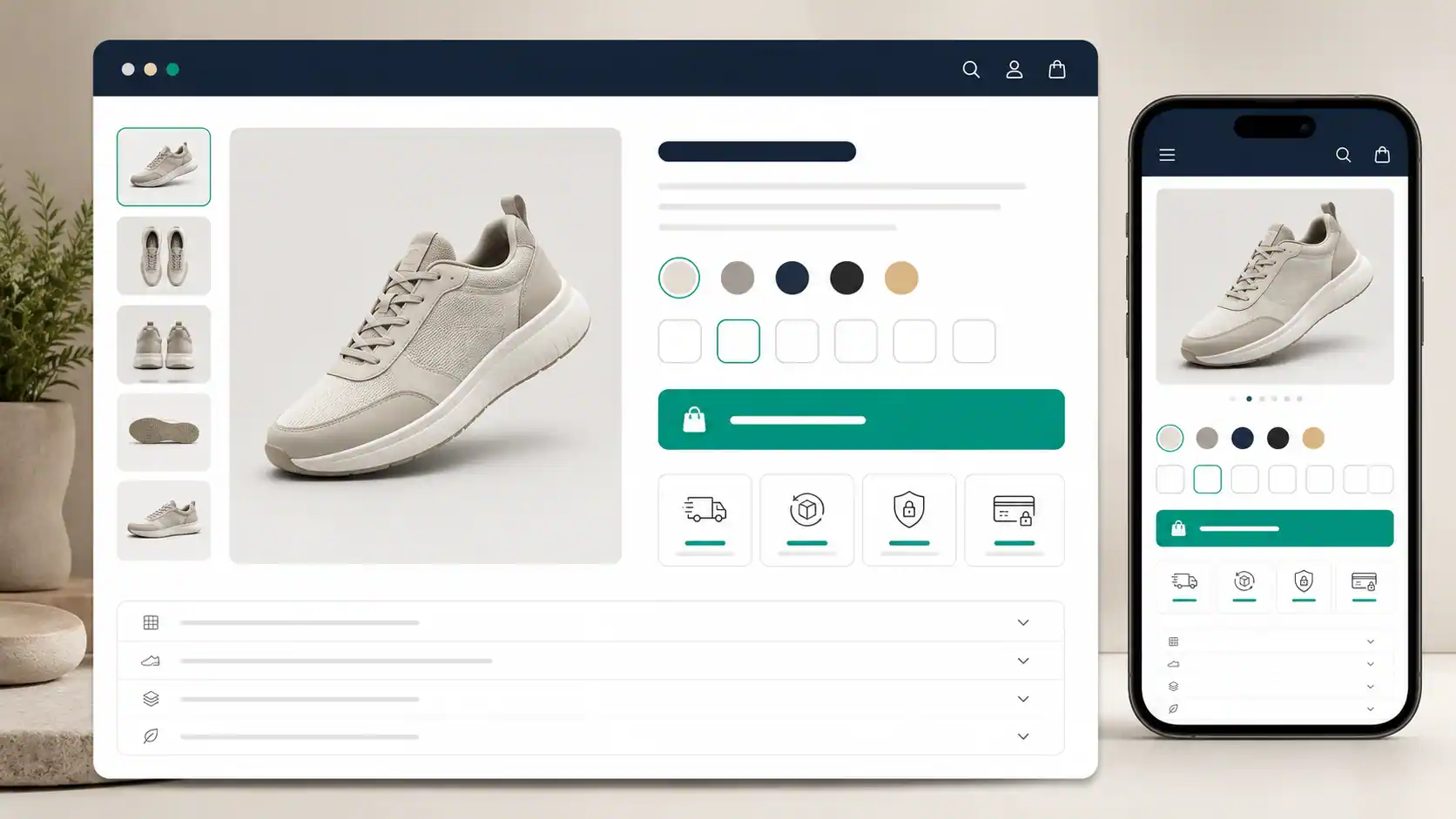
Price, options, availability, shipping context, return information, and the add-to-cart action should not feel disconnected. The exact layout will vary, but a shopper should not have to leave the product page to answer every basic question.
Do not show trust badges or urgency messages that the business cannot support. Real delivery information and a clear return policy are stronger trust signals than decorative promises.
Use Collections and Navigation to Reduce Searching
As the catalog grows, store structure becomes a merchandising decision.
Collections might organize products by type, use, audience, compatibility, season, price range, or another attribute customers understand. “Women’s Jackets” is useful when shoppers think in that category. An internal inventory label that means nothing outside the company is not.
The menu should expose the most useful paths without trying to display the entire catalog at once. Search, filtering, and sorting become more important when customers need to narrow a large set of similar items.
Google’s ecommerce documentation says site navigation and cross-page links help it understand relationships between pages. Its recommended pattern moves from menus to categories or collections and then to product pages. The practical lesson is the same for shoppers: important products should be reachable through ordinary, useful links rather than hidden behind a search box or an isolated campaign URL. See Google’s guide to ecommerce site structure.
Make SEO Part of the Store Structure
Shopify includes several built-in SEO features, but built-in does not mean automatic rankings. Shopify’s SEO overview explains which technical elements the platform handles and which content and optimization decisions remain with the merchant.
The most useful starting point is search intent: what is the person trying to do, and which page type can answer that need?
| Search example | Likely need | Better page type |
|---|---|---|
| women's black trail running shoes | Find and compare products | Collection or relevant product page |
| waterproof trail shoe size 8 | Evaluate a specific option | Product page |
| how to choose trail running shoes | Learn before choosing | Buying guide or article |
| how to clean trail running shoes | Use or maintain a product | Help article or educational guide |
Trying to make one product page rank for every informational and shopping query usually weakens the page. Build product and collection pages for commercial needs, then use genuinely useful content to answer broader questions.
Review these elements on important pages:
- page title;
- main heading;
- product or collection copy;
- meta description;
- URL handle;
- image alt text;
- internal links;
- navigation path;
- canonical and indexability settings where relevant.
Use the words customers use when those words accurately describe the page. Do not turn product copy into a list of repeated keyword variants.
For the wider relationship between intent, technical health, internal linking, page experience, and measurement, use our broader SEO strategy guide as a supporting checklist.
Use Product Structured Data Accurately
Structured data gives search engines machine-readable information about a page. Google’s current Product structured-data documentation explains how eligible product information can be used in richer search experiences, including details such as price, availability, ratings, shipping, and returns when the relevant requirements are met.
Two limits matter:
- Structured data should describe information that is actually present and accurate on the page.
- Valid markup creates eligibility; Google does not guarantee that a rich result will appear.
Many Shopify themes output some product markup. Apps or custom code may add or change it. Do not assume that more schema is better. Test important product templates, investigate duplicate or conflicting markup, and keep values such as price and availability consistent with what customers can see.
Product schema belongs on qualifying product pages. This editorial article should use Article or BlogPosting markup instead.
Make the Mobile Store Fast and Easy to Use
A responsive layout can still be frustrating on a phone. Test the real storefront rather than relying only on a desktop preview.
Check:
- menu and search controls;
- image galleries;
- variant selectors;
- product information;
- add-to-cart buttons;
- cart editing;
- forms and error messages;
- text size and spacing;
- checkout;
- page loading and visual stability.
Shopify’s store design checklist specifically recommends testing a store on mobile devices and placing a test order before launch.
When performance is weak, investigate the theme, installed apps, and manually added third-party code. Shopify identifies those as major factors that affect online-store performance in its web performance guidance.
Do not remove a feature simply to improve a lab score. First ask whether the feature helps customers, whether it can be implemented more efficiently, and whether real-user data shows a problem.
Build Trust by Removing Uncertainty
A customer is being asked to pay a business they may never have encountered before. Trust grows when the store answers reasonable questions and behaves consistently.
Depending on the business and market, useful information can include:
- a real way to contact the business;
- shipping locations and estimated delivery information;
- return and refund rules;
- privacy information;
- terms of service;
- product specifications and warnings;
- authentic customer reviews;
- warranty or support information;
- clear total costs before payment.
Avoid fake reviews, false scarcity, unsupported security claims, and badges that imply an accreditation the business does not have.
Policies also need to match the way the business actually operates. A copied template is not a substitute for understanding applicable consumer, privacy, tax, accessibility, or product rules. Requirements vary, so obtain qualified advice when the stakes or jurisdiction call for it.
Review the Cart and Checkout as a Customer
The cart and checkout should preserve the confidence built on the product page.
Look for avoidable friction:
- charges that appear late;
- unclear shipping choices;
- discount fields that distract shoppers who do not have a code;
- confusing quantity or removal controls;
- payment methods that do not suit the target market;
- form errors that do not explain how to recover;
- weak mobile usability;
- inconsistent product, price, or delivery information.
Place a test order from start to finish. Use a phone as well as a desktop browser. Confirm the order notification, inventory behavior, tax and shipping treatment, confirmation page, and any post-purchase communication that applies to the store.
The goal is not to make checkout entertaining. It is to make the next step clear and keep surprises to a minimum.
Measure the Store Instead of Guessing
Shopify Analytics can bring store activity, visitors, web performance, and transaction reporting into one reporting environment. Shopify’s analytics documentation also makes an important practical point: reports can inform landing-page, product, and merchandising decisions.
Do not stop at total traffic. Choose metrics that describe the actual journey, such as:
- product views;
- add-to-cart activity;
- reached checkout;
- completed purchases;
- revenue and net sales;
- average order value;
- returning-customer behavior;
- performance by landing page, product, and channel;
- refunds or other post-purchase signals relevant to the business.
Availability and definitions can vary by report, plan, channel, and setup. Use the metric definitions shown in the store’s own reporting tools rather than combining numbers that only sound similar.
Diagnose the Drop-Off

Consider this hypothetical journey:
1,000 sessions → 300 product views → 75 add-to-cart actions → 40 checkouts → 24 purchases
These figures are an example, not a benchmark. Their purpose is to show where to ask the next question.
| Pattern | Possible issue | First checks |
|---|---|---|
| Landing-page traffic, few product views | Message or navigation mismatch | Landing-page promise, collection links, menu, search, traffic intent |
| Product views, few add-to-cart actions | Product or offer uncertainty | Price, copy, media, options, fit, shipping, returns, availability |
| Cart activity, few checkouts | Cart friction or cost concern | Shipping visibility, cart controls, discounts, total-cost expectations |
| Checkouts, few purchases | Payment or checkout problem | Form errors, payment methods, mobile behavior, unexpected charges |
| Purchases, weak repeat behavior | Product or post-purchase issue | Product satisfaction, delivery, support, replenishment cycle, retention communication |
Analytics tells you where to investigate. It does not automatically prove why a customer behaved that way. Combine the numbers with session testing, support questions, customer feedback, and the store’s operational data.
Improve One Meaningful Problem at a Time
Large redesigns make it difficult to know what helped. A smaller experiment is easier to interpret.
For example:
Observation: A well-matched product page receives visits, but relatively few shoppers add the item to the cart.
Hypothesis: The page does not explain fit and sizing clearly enough.
Change: Add a readable size guide, clarify the model’s measurements, and move the return summary closer to the size selector.
Measure: Compare relevant add-to-cart behavior, support questions, returns, and completed purchases over a sensible period.
This does not guarantee a lift. It creates a testable reason for making the change and watches for both positive and negative effects.
Use Content to Support Product Discovery
Some potential customers are ready to shop. Others are still learning what they need.
A skincare store might answer how to build a basic routine. An outdoor store might explain what to pack for a day hike. A software company might show how a particular workflow works before asking the reader to compare plans.
Useful content should serve the same audience as the products. It can then link naturally to a relevant collection or product when that next step helps.
Do not publish hundreds of loosely related posts merely to target keywords. A smaller group of accurate buying guides, comparisons, use instructions, and support articles can be more useful than a large archive with no connection to the catalog.
Do Not Build the Business Around One Traffic Source
Organic search, paid advertising, email, social media, partnerships, referrals, and repeat customers can all play a role in ecommerce. The right mix depends on the product, economics, audience, and stage of the business.
The aim is not to appear on every channel. It is to understand which channels bring customers who buy profitably and remain satisfied.
Track channel quality beyond the first click. A source that produces cheap traffic but few suitable customers may be less valuable than a smaller source with stronger orders, lower returns, or better repeat behavior.
Use Shopify AI as an Assistant, Not an Authority
Shopify currently documents two broad groups of AI support: Sidekick, an AI-enabled commerce assistant in the admin, and Shopify Magic, which supports content and creative tasks in several workflows. Shopify says Sidekick presents changes for review before applying them, and its AI best-practice guidance tells merchants to give context, refine results, and review suggested changes.
That review step matters.
AI can help produce a first draft, reorganize information, suggest options, or reduce repetitive work. It should not invent product facts, measurements, materials, compatibility, certifications, pricing, delivery terms, or legal claims.
Before publishing AI-assisted product content, verify it against the actual product and business records. Edit it into the brand’s natural voice. Remove claims that cannot be supported.
If you want a broader introduction to how AI, search intent, content, and user experience connect, read our guide to the foundations of SEO with AI.
Practical Shopify Ecommerce Checklist
Product and Operations
- The primary customer and product use are clear.
- Pricing, inventory, fulfillment, and support processes are workable.
- Product claims and specifications are accurate.
- Shipping, returns, refunds, and contact routes reflect real operations.
Structure and Presentation
- Navigation uses terms customers understand.
- Important products are reachable through collections and links.
- The theme supports required catalog and shopping features.
- Product pages answer the main buying questions.
- Product media is accurate, useful, and optimized for the web.
Search and Technical Quality
- Titles, headings, descriptions, URLs, and alt text are descriptive.
- Product, collection, and informational pages have distinct jobs.
- Important pages are indexable and linked internally.
- Structured data matches visible information.
- The store has been checked in Google Search Console after launch.
Mobile, Trust, and Checkout
- Menus, filters, variants, cart controls, and forms work on a phone.
- Important pages load and remain usable under realistic conditions.
- Contact, shipping, return, privacy, and terms information is easy to find.
- Reviews and claims are authentic.
- A full test order has been completed on mobile and desktop.
Measurement
- Analytics and required consent settings are configured correctly.
- The team knows which business and journey metrics matter.
- Drop-off is reviewed by page, product, device, and channel where useful.
- Changes are tied to a clear hypothesis and measured outcome.
- Decisions consider customer feedback and operational evidence, not analytics alone.
Final Takeaway
A better Shopify store is not the one with the most apps, animations, or homepage sections. It is the one that helps a suitable customer move from discovery to decision with fewer unanswered questions.
Start with the product and buyer. Organize the catalog around the way people shop. Make product pages specific. Build search visibility into the structure, not as an afterthought. Test the full mobile and checkout journey. Explain the business honestly. Then use real behavior to decide what to improve next.
Shopify provides the commerce system. The merchant’s job is to make that system clear, trustworthy, and useful.
Frequently Asked Questions
Is Shopify good for ecommerce?
Shopify provides an integrated system for products, storefront themes, orders, checkout, and reporting, which can suit many online sellers. Whether it is the right choice depends on the catalog, markets, required features, budget, integrations, and the team’s technical and operational needs. This article does not treat one platform as universally best.
Can I build a Shopify store without coding?
Many stores can launch with a theme and Shopify’s visual editing tools without custom development. Coding or specialist help may be needed for unusual design, data, integration, performance, or workflow requirements. Avoid custom work until the business can explain the problem it needs to solve.
Is Shopify SEO-friendly?
Shopify includes built-in SEO features and lets merchants edit important page information. Search performance still depends on crawlability, site structure, content, product demand, competition, internal links, page experience, and broader authority. The platform does not guarantee rankings.
What should every Shopify product page include?
At minimum, a suitable customer should be able to identify the product, price, available options, key details, and purchase action. Depending on the item, the page may also need specifications, dimensions, compatibility, care, shipping, returns, availability, warranty, media, and authentic reviews.
How can I improve Shopify conversion performance?
Start by finding the stage where suitable shoppers leave. Then investigate the questions and friction specific to that stage. Product views with few cart actions call for a different review than completed carts with failed payments. Make a focused change, measure it, and watch for unintended effects rather than assuming one universal “conversion hack” will work.
Does Product structured data improve Shopify rankings?
Product structured data helps Google understand qualifying product information and can make a page eligible for richer search appearances. It is not a guaranteed ranking improvement, and Google does not promise that a rich result will display. Markup should remain accurate and consistent with the visible page.